
A gaming computer needs the right environment to deliver smooth gameplay, stable performance, and a long lifespan. While many gamers focus on graphics cards, processors, cooling systems, and internet speed, the surrounding environment is equally important. Temperature, dust, and moisture can all influence how well a computer operates. In a hot and sometimes humid climate, understanding these factors becomes especially valuable.
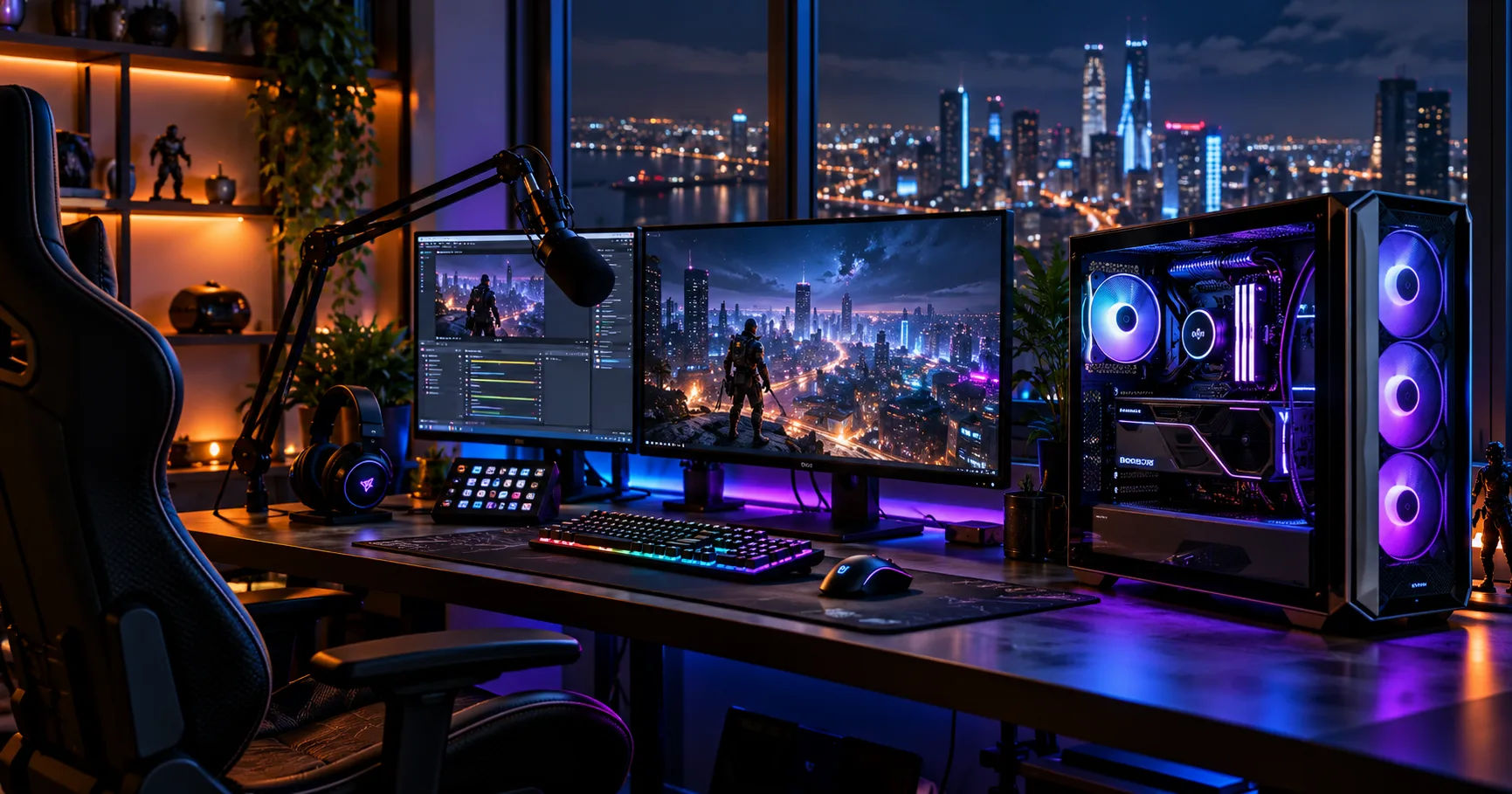
For gamers living in the United Arab Emirates, maintaining a computer can require extra attention because weather conditions vary throughout the year. Air conditioning helps control indoor temperatures, but humidity can still become a concern in certain homes, gaming rooms, and poorly ventilated spaces. Understanding how gaming pc uae systems respond to moisture can help users protect their hardware, avoid unexpected problems, and enjoy consistent gaming performance.
Humidity does not automatically damage a gaming computer, and a well-maintained system can operate reliably in the UAE. However, excessive moisture, condensation, and the combination of humidity with dust may create conditions that affect electronic components. By learning how humidity works, recognizing warning signs, and following practical maintenance habits, gamers can reduce risks and keep their computers performing well.
Humidity and Its Effects on Computers
What Is Humidity?
Humidity refers to the amount of water vapour present in the air. It is commonly discussed as relative humidity, expressed as a percentage. Relative humidity describes how much moisture the air contains compared with the maximum amount it could hold at a particular temperature.
For example, a room with 70% relative humidity contains a higher proportion of moisture relative to its temperature-dependent capacity than a room with 30% relative humidity.
Temperature affects this relationship. Warm air can hold more water vapour than cold air, which means relative humidity can change when air is heated or cooled, even if the actual amount of moisture stays the same.
For computer owners, this matters because the temperature of the room, the temperature of internal components, and the amount of moisture in the air can interact in different ways.
Why Humidity Matters for Gaming Computers
Gaming computers contain sensitive electronic components, including the motherboard, graphics card, processor, memory modules, power supply, and storage devices.
These components are designed to operate within specific environmental limits. Normal indoor humidity is generally manageable, but moisture-related problems can develop when conditions become unsuitable.
Excessive humidity can contribute to corrosion, electrical leakage, and other problems if moisture reaches vulnerable surfaces. Condensation is another concern because liquid water can form on components when their surfaces become colder than the surrounding air's dew point.
It is important to understand that high humidity does not necessarily mean that water will immediately appear inside a computer. The risk depends on factors such as temperature changes, ventilation, contamination, and the condition of the hardware.
How UAE Weather Can Affect Gaming PC Performance
High Temperatures and Indoor Humidity
The UAE experiences very hot weather during much of the year. Outdoor conditions can place additional demands on indoor cooling systems, particularly when computers operate for several hours during gaming sessions.
Humidity levels vary by location and season. Coastal areas, including Dubai and Abu Dhabi, can experience humid conditions, especially when warm air arrives from the sea. Inland areas may experience different humidity patterns.
When a room is hot, a gaming computer may struggle to remove heat efficiently if its cooling system is already working near its limits. High humidity is not usually the main cause of processor overheating, but it can be part of a broader environmental challenge.
A computer operating in a hot room may increase fan speeds, reduce boost performance when thermal limits are reached, or become louder during demanding games.
The Role of Air Conditioning
Air conditioning is one of the most useful tools for maintaining a suitable gaming environment in the UAE.
A properly functioning air conditioner generally lowers indoor temperatures and can also remove moisture from the air as part of its cooling process. This helps create more comfortable conditions for both the gamer and the computer.
However, air conditioning does not guarantee that every room will have ideal humidity. Results depend on the equipment, room size, ventilation, thermostat settings, and outdoor conditions.
For a gaming pc uae setup, maintaining a reasonably cool and stable room is usually more helpful than repeatedly changing the temperature throughout the day.
Avoid placing the computer directly beneath an air-conditioning unit that might leak or produce condensation near the system. Also, ensure that cold air is not directed onto a computer that has been exposed to very warm, humid conditions in a way that could create condensation on its surfaces.
Coastal Conditions and Moisture Exposure
Gamers living near the coast may experience higher outdoor humidity than those living in some inland areas.
Opening windows during humid weather can introduce moist air into a room. If the room is air-conditioned, the incoming moisture may increase the workload on the cooling system.
Salt carried in coastal air can also be a concern in some environments. When deposited on exposed surfaces, salt can contribute to corrosion, particularly when moisture is present.
This does not mean that every computer near the sea will suffer damage. Rather, it highlights the importance of indoor climate control, sensible ventilation, and regular inspection.
Keep windows closed during particularly humid periods when outdoor air would make indoor conditions worse. Use suitable air conditioning and avoid exposing computer components to sea spray or damp outdoor air.
Can Humidity Reduce Gaming Performance?
Impact on CPU and GPU Temperatures
The central processing unit (CPU) and graphics processing unit (GPU) generate substantial heat during demanding games.
Their cooling systems use heatsinks, fans, and sometimes liquid cooling to transfer heat away from important components. Case fans then help move warm air out of the computer.
Humidity alone does not normally cause a major reduction in CPU or GPU performance. In ordinary indoor conditions, airflow, room temperature, heatsink design, fan performance, and power limits are generally more significant factors.
However, excessive room temperature can make cooling less effective. If the processor or graphics card reaches its thermal limits, it may reduce its operating speed to protect itself.
Gamers may notice lower frame rates, inconsistent performance, louder fans, or sudden drops in clock speed.
When investigating these symptoms, check component temperatures and fan operation before assuming that humidity is the direct cause.
Can Humidity Cause Lag or Low FPS?
Humidity does not directly slow an internet connection or automatically reduce frames per second (FPS).
Online lag is more commonly associated with network congestion, wireless interference, server distance, packet loss, or problems with the internet service provider.
Low FPS is more often connected to hardware limitations, excessive temperatures, graphics settings, outdated drivers, background applications, or demanding game updates.
Nevertheless, moisture-related hardware damage can eventually cause instability, crashes, or other performance problems.
For example, corrosion affecting an electrical connection may lead to intermittent faults. In such a case, the underlying issue is damage to the hardware rather than humidity directly slowing down a healthy computer.
If a gaming system suddenly becomes unstable, investigate the symptoms carefully instead of assuming that every problem is weather-related.
Effects on Long-Term Hardware Reliability
The long-term effects of humidity deserve more attention than its immediate influence on gaming speed.
Moisture can encourage corrosion on exposed metal contacts and circuit-board surfaces. Dust and other contaminants can make the situation worse by retaining moisture or providing a path for unwanted electrical leakage.
Damage may develop gradually rather than appearing immediately. A computer might continue working normally for some time before a connection becomes unreliable or a component begins to fail.
Maintaining a stable indoor environment helps reduce these risks.
A carefully maintained gaming pc uae system can remain reliable for years, but regular cleaning, appropriate cooling, and protection against moisture are important parts of responsible ownership.
How Condensation Can Damage a Gaming PC
What Is Condensation?
Condensation occurs when water vapour changes into liquid water on a surface that is sufficiently cold.
This process is familiar to anyone who has seen water droplets form on a cold drink in a warm room.
A similar effect can occur on computer equipment if a cold component or enclosure is exposed to humid air and its surface temperature falls below the air's dew point.
The dew point depends on the air temperature and moisture content. Higher humidity generally raises the dew point, making condensation possible at less extreme cooling levels.
When Is Condensation Most Likely?
Condensation is particularly relevant when equipment moves between environments with substantially different temperatures.
For example, a computer transported in a cold, air-conditioned vehicle might be brought into a much warmer and more humid environment. If cold surfaces remain below the new environment's dew point, moisture can form.
Moving a computer from a cool indoor space into a warm, humid room does not guarantee condensation, but the risk depends on the temperature difference and the amount of moisture in the air.
Likewise, abrupt cooling and unusual temperature fluctuations can create conditions in which condensation deserves attention.
How to Protect Your PC From Condensation
If a computer has been exposed to a substantial temperature change, allow it to reach the surrounding room temperature before powering it on.
The necessary waiting period depends on how cold the equipment became, how long it was exposed, and how much temperature difference exists. There is no single waiting time that is appropriate for every situation.
If you can see moisture or suspect that liquid has entered the computer, do not turn it on. Disconnect power if it is safe to do so, and seek professional inspection when necessary.
Never use a hair dryer, heater, or other intense heat source to force the equipment to warm up quickly.
Stable indoor conditions are generally preferable to frequent and dramatic temperature changes.
Practical Ways to Protect Your Gaming PC in the UAE
Maintain a Stable Room Temperature
Try to keep your gaming room at a comfortable, consistent temperature rather than allowing it to become extremely hot during the day.
A room temperature around 22–26°C is a reasonable starting point for many home gaming setups, although the best setting depends on personal comfort, electricity costs, and the equipment involved.
The computer's own temperature readings are also important. A comfortable room does not guarantee that every internal component is operating within safe limits.
Use monitoring software to observe CPU and GPU temperatures during demanding games. Compare the readings with the manufacturer's specifications for your particular hardware.
Monitor Indoor Humidity
A small digital hygrometer can help you understand the humidity levels in your gaming room.
For many indoor environments, relative humidity around 40–60% is a practical target, provided that the equipment manufacturer's environmental requirements are also met.
In a humid climate, the room may sometimes fall outside this range. The important thing is to avoid persistent dampness and conditions that encourage condensation.
If indoor humidity remains unusually high, investigate whether the air conditioner is working correctly and whether there are leaks or other sources of moisture.
A dehumidifier may be useful in a persistently damp room, but it should be selected according to the room's conditions rather than used unnecessarily.
Improve Case Airflow
Good airflow helps remove heat from the CPU, GPU, motherboard, and other components.
Make sure the computer has enough clearance around its intake and exhaust vents. Avoid placing the case inside a tightly enclosed cabinet or directly against a wall that blocks ventilation.
Arrange case fans to provide a sensible path for cool air to enter and warm air to leave.
Clean dust filters periodically, following the case manufacturer's instructions. Clogged filters restrict airflow and may cause temperatures to rise.
Good airflow does not remove all moisture from the room, but it helps prevent excessive heat from becoming an additional problem.
Keep Your Computer Away From Moisture Sources
Place your computer away from open windows during humid weather, leaking pipes, damp walls, water dispensers, and areas where drinks could spill.
Do not position the tower directly on a floor that is prone to flooding or water accumulation. A stable desk or raised platform may offer better protection against accidental spills and floor-level moisture.
If the computer sits near an air-conditioning unit, inspect the area for signs of leakage.
Avoid placing drinks on top of the tower or directly above expensive peripherals. A small spill can cause immediate damage regardless of the room's average humidity.
Clean the System Carefully
Dust can interfere with cooling and may combine with moisture or contaminants to increase the risk of electrical problems.
Switch off the computer and disconnect it from the power supply before performing routine cleaning. Follow the manufacturer's maintenance guidance and use appropriate equipment.
Use compressed air carefully, keeping fans from spinning excessively during cleaning. Avoid spraying liquids onto computer components.
Do not open a power supply unit to clean its interior. Power supplies can retain dangerous electrical charges even after they have been unplugged.
If you notice corrosion, unusual residue, or signs of liquid exposure, professional inspection is safer than attempting an extensive repair without the right experience.
Choose a Suitable Location for Your Gaming Setup
Where you place your computer can make a meaningful difference to its operating environment.
A dry, air-conditioned room with good ventilation is generally preferable to a hot storage room, enclosed balcony, or damp corner.
Avoid direct sunlight because it can heat the case and surrounding surfaces.
If you use a gaming desk in a room that receives humid outdoor air, consider whether window placement, door opening, or ventilation patterns are allowing moisture to accumulate.
These simple decisions can help a gaming pc uae setup operate in a more stable environment without requiring expensive upgrades.
Does a Gaming PC Need a Dehumidifier in the UAE?
When a Dehumidifier May Help
A dehumidifier can be useful if a room consistently has high humidity despite normal air-conditioning use.
Possible warning signs include persistent damp smells, condensation on windows, visible moisture on surfaces, and indoor humidity readings that remain unusually high.
Before buying additional equipment, check whether the air conditioner is properly sized, maintained, and functioning as intended.
A dehumidifier should be chosen according to the room's size, moisture load, and operating conditions. A large, powerful unit may be unnecessary for a small room that already has effective climate control.
When a Dehumidifier Is Not Necessary
If the room remains dry enough, temperatures are stable, and the computer shows no signs of moisture exposure, a separate dehumidifier may offer little benefit.
Excessively dry air is not automatically better for electronics. It can increase static-electricity concerns under certain conditions, particularly during handling and maintenance.
The goal is a stable, suitable indoor environment rather than achieving the lowest possible humidity.
For most home gamers, functioning air conditioning, sensible room placement, and regular computer maintenance are appropriate starting points.
Common Myths About Humidity and Gaming PCs
Myth 1: High Humidity Always Damages Electronics
This is incorrect. Many electronic devices operate safely within specified humidity ranges.
The risk depends on factors such as condensation, contaminants, exposure duration, and manufacturer limits. A room with moderately high humidity does not automatically mean a computer will be damaged.
Myth 2: Humidity Directly Makes Games Run Slower
Humidity does not normally reduce FPS by itself.
High ambient temperatures can affect cooling performance, while moisture-related damage may cause hardware instability. These are different mechanisms and should be investigated separately.
Myth 3: Maximum Air Conditioning Is Always Best
Setting the air conditioner to its lowest temperature is not necessarily the best solution.
Extreme temperature differences can create condensation risks in certain circumstances, and unnecessary cooling increases electricity consumption.
A consistent, comfortable temperature combined with appropriate humidity control is generally a better strategy.
Myth 4: A Gaming PC Must Be Completely Sealed
Sealing a conventional gaming computer to keep moisture out can restrict airflow and trap heat.
Most standard gaming towers depend on ventilation to cool their components. Instead of sealing the case, control the surrounding environment and keep the computer clean and properly maintained.
Specialized sealed systems exist, but ordinary gaming computers should be used according to their intended design.
Signs That Humidity May Be Affecting Your Computer
Although humidity is not always the cause of computer problems, certain warning signs deserve attention.
Look for visible condensation, corrosion on accessible metal surfaces, unusual residue, or evidence of water exposure.
Other symptoms, such as unexpected shutdowns, unexplained crashes, and unstable connections, may indicate hardware faults but are not specific to humidity.
If the computer smells burnt, produces smoke, makes unusual electrical noises, or shows signs of liquid entering its enclosure, turn it off and disconnect it from power if safe to do so. Do not continue gaming to see whether the problem disappears.
For suspected internal moisture or corrosion, arrange a professional inspection before using the system again.
A qualified technician can examine affected components, identify the source of the problem, and determine whether cleaning or replacement is necessary.
Choosing Hardware for UAE Gaming Conditions
Consider Cooling Capacity
When purchasing a gaming computer, pay attention to the CPU cooler, graphics card cooling design, case airflow, and power supply quality.
A powerful graphics card inside a poorly ventilated case may experience higher temperatures than the same card installed in a case with an effective airflow arrangement.
Choose a cooling system appropriate for the processor's power requirements and the kind of games you play.
Liquid cooling can be useful for certain builds, but it is not automatically better than a well-designed air cooler. Installation quality, maintenance requirements, and reliability should all influence the decision.
Check Manufacturer Specifications
Hardware manufacturers publish operating requirements and environmental specifications for many components.
Review these details when selecting or installing equipment, especially if the room experiences unusually high temperatures or humidity.
Remember that the acceptable operating temperature of a component is different from the room temperature. A processor can run much hotter than the surrounding air while remaining within its specified limits.
Protect Your Investment
A gaming computer can represent a significant investment, especially when it includes a high-end graphics card, fast storage, and premium peripherals.
Use a suitable surge protector or an appropriately rated uninterruptible power supply (UPS) when needed. These devices can help address certain electrical problems, although they do not remove humidity or prevent condensation.
Keep important game saves and personal files backed up. Hardware protection and data protection serve different purposes, and both are valuable.
For a gaming pc uae owner, a sensible maintenance routine can be more effective than spending money on unnecessary accessories.
Conclusion
Humidity can affect a gaming computer in the UAE, but the extent of the risk depends on the environment and how the equipment is maintained. High humidity does not automatically cause overheating, lower frame rates, or immediate hardware failure. In most ordinary gaming environments, room temperature, cooling efficiency, dust buildup, and airflow have a more direct influence on gaming performance.
The greater humidity-related concerns are condensation, corrosion, and moisture exposure. These problems can damage electrical connections and circuit boards, potentially leading to instability or expensive repairs. Gamers should pay particular attention to sudden temperature changes, damp rooms, coastal moisture, and possible air-conditioning leaks.
Fortunately, protecting a gaming computer does not have to be complicated. Keep the room reasonably cool, monitor indoor humidity when necessary, maintain good case airflow, clean dust filters, and position the computer away from water sources. If the room remains persistently damp, investigate the cause and consider appropriate humidity-control equipment.
It is equally important to understand what humidity does not do. It does not normally slow a healthy internet connection or directly reduce FPS. When performance problems appear, monitor component temperatures, check software and drivers, and investigate hardware symptoms instead of assuming that moisture is responsible.
Ultimately, a well-maintained gaming pc uae system can deliver excellent gaming performance in the UAE. Consistent indoor conditions, sensible cooling, careful placement, and regular maintenance will help protect your investment and support reliable gaming throughout the year.
